Table of Contents:
Estimating is one of the most important aspects of running a restoration business. Whether dealing with water damage, fire restoration, or mold remediation, restoration professionals need accurate, efficient, and reliable cost estimates to stay profitable and get claims approved quickly.
Put simply, restoration estimating software removes manual guesswork, standardizes documentation, and keeps pricing in line with insurance requirements, which effectively reduces disputes and speeds up claim approvals.
But with so many estimating tools available, how do you know which one is the best fit for your business? Let’s break it down.
What Is Estimating Technology?

Estimating technology simplifies the process of creating accurate restoration cost estimates by standardizing pricing and reducing manual calculations.
Instead of relying on experience or guesswork, contractors use these tools to generate precise estimates based on actual labor, materials, and job conditions. This speeds up estimating and keeps every estimate consistent and defensible.
At its core, estimating technology does three things:
- It calculates material and labor costs based on current market rates.
- It automates documentation to make estimates easier to track and adjust.
- It improves communication between contractors, insurance adjusters, and clients.
Should You Use Restoration Estimating Software?
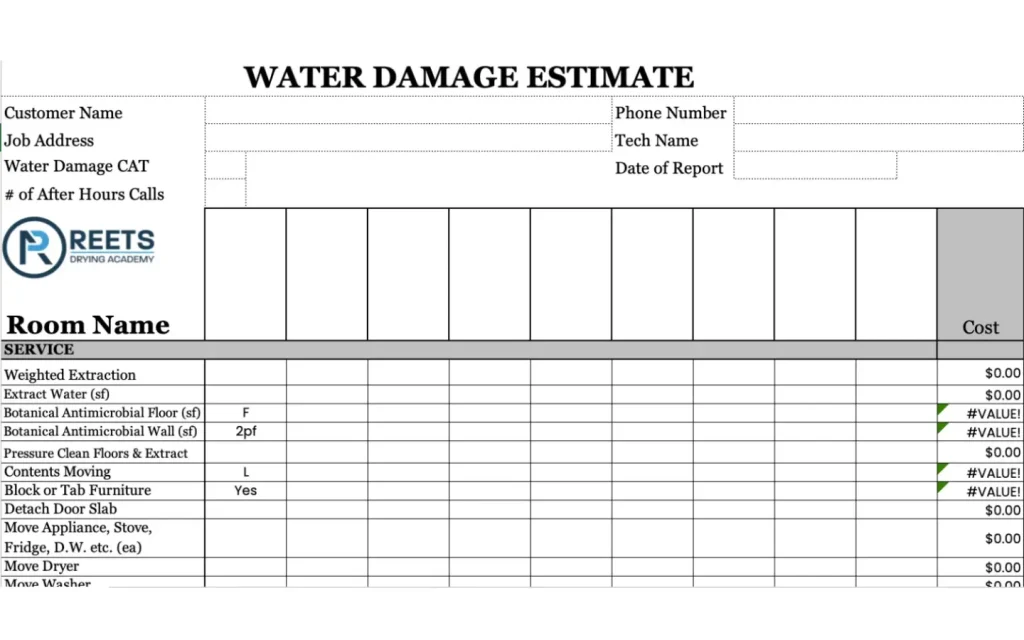
Now, you might be wondering whether investing in estimating technology is really worth it, because some contractors might feel they’ve managed without it, just by relying on experience and manual calculations.
But as jobs get more complex and insurance requirements tighten, those methods leave too much room for error and lost revenue, which brings us to the first way estimating technology makes a difference: reducing mistakes that can lead to lost profits or disputes with insurers.
The fact is, even small errors can lead to underpricing a job or overcharging and getting pushback from insurers.
Since restoration estimating software pulls cost data directly from updated databases, estimates are always based on real market conditions rather than outdated figures or rough guesses, which makes pricing more predictable and reduces disputes over cost breakdowns.
Speed is another major factor, and the math is simple: the longer it takes to put together an estimate, the longer it takes to get a job moving. Instead of sorting through price lists and recalculating every line item, estimating software lets contractors generate detailed estimates in minutes.
This keeps projects moving without delays and cuts down on time wasted on paperwork. Since many systems link directly to accounting and job management tools, everything stays connected, from the initial estimate to final invoicing.
For projects that will involve an insurance carrier, standardization matters just as much as speed and accuracy, because insurers expect estimates to follow a structured format. When they don’t, claims may get delayed or denied.
Using a platform that generates reports that break down costs the way adjusters expect, can reduce the back-and-forth negotiations to justify charges.
What to Look for in Restoration Estimating Software
- Insurance Compatibility – While using a software adjusters use and understand can ease negotiations, the software alone won’t get your estimates approved. You will need to present and justify your costs.
Our Restoration Estimating and Negotiating PLUS Xactimate Training teaches you how to create accurate, profitable estimates and present them in a way that gets insurer approval.
- On-Site Accessibility – If you’re using a cloud-based system, you’ll be able to update estimates on the fly without having to run back to the office.
- Pricing Flexibility – Not every job fits default pricing databases. You’ll need software that lets you override preset costs, adjust labor rates, and customize line items when necessary due to local circumstances, overhead variances or quality of work.
Restoration Estimating Software Options

There are several estimating tools on the market, but not all of them are created equal. Some are designed specifically for restoration professionals, while others are more general construction estimating tools that can be adapted for restoration projects.
1. Xactimate
If you’re dealing with insurance claims, Xactimate is the software you need. It’s what most adjusters use, which means if you submit estimates through another tool, you’re more likely to run into pricing disputes and delays.
The main reason Xactimate dominates the industry is its region-specific pricing database (it updates regularly to reflect local material, labor, and equipment costs, so estimates align with what insurers expect).
It also has built-in sketching tools for mapping out damage, automated calculations to speed up estimates, and preformatted reports that match insurance requirements.
That said, it’s not the easiest software to learn, but if you want to get up to speed quickly, check out our Xactimate training here.
- Price: Starts at $58/month, with higher tiers for extra features.
- Best for: Contractors working on insurance claims.
- Downsides: Expensive, difficult to learn, but often necessary.
2. Symbility
Symbility does a lot of the same things as Xactimate but is easier to use and more focused on collaboration. Adjusters and contractors can work on estimates in real time, which cuts down on back-and-forth negotiations.
The downside is, not all insurers accept Symbility-based estimates – some do, but if you’re working in an area where Xactimate is the standard, Symbility might not cut it.
However, for those who can use it, the cleaner interface and lower learning curve make it an appealing alternative.
- Price: Varies (contact Symbility for a quote).
- Best for: Contractors looking for an easier alternative to Xactimate.
- Downsides: Not as widely accepted by insurers.
3. magicplan
This is an app in the Apple Appstore and Google Play Store that allows you to create sketches and estimates on site. The sketch features include using Lidar and laser measures to create accurate sketches quickly. Estimates can be created based on the pricing your company inserts.
- Price: $25 /project (plans based on length of contract)
- Best for: Start up companies
4. Your Own Software
Your pricing structure should be based on your company needs. Using invoicing software like Quickbooks, you can create frequently used line items based on the pricing you develop. For some companies that can’t afford estimating software or that prefer a custom option, this may be a good alternative.
- Price: Starts at $18/mo, with additional options available via upgrades
- Best for: Start-up companies, companies that don’t want to work with estimating software
- Downside: Pricing variances; pricing may be less than other estimating software or more than the market can bare
5. T&M Pro
Time and material pricing is just what it sounds like. Pricing is established beforehand via a contract. The program then calculates the labor (time) and all the materials and equipment that was used and tallies it so you can create an invoice.
- Price: Starts at $1,400 /year
- Best for: Companies that will be performing restoration services for commercial businesses
- Downside: Program may be labor intensive and takes more coordination with the field in verifying services Learn to do the right restoration job from Anywhere with ReetsTV
Looking to advance your restoration career? Reets Drying Academy offers industry-leading IICRC-certified courses in water damage, fire restoration, trauma clean-up, health & safety, and more.

Nick Sharp
Nick Sharp has worked with Jeremy Reets for nearly 2 decades. He started in carpet cleaning and mitigation before moving to the construction side as a project manager. He then was the senior estimator for Champion Construction for over 8 years. Since its inception in 2015, Nick has been an instructor of our Restoration Estimating & Negotiating course. His most recent venture is as a restoration estimate consultant. Nick is an Xactware Certified Trainer and also has his Levels 1-3 Xactimate Certifications. He’s a bad boy on that sketch but better at finding where you may be losing money!


770-712-7293